You've invested in third party lab testing. You've got the certificates. You know that COA lab reports build customer trust. But now you're staring at a stack of PDF files and wondering: how do I actually get these onto my Shopify product pages in a way that looks good and actually helps sell?
It's a fair question. Shopify is an incredible platform, but it wasn't built with lab test data in mind. There's no native "attach a COA" button on the product editor. So you've got to get a little creative; or use the right tools.
In this guide, we'll walk through the main approaches to displaying lab results on Shopify, from the simplest to the most polished. We'll cover what works, what doesn't, and how to pick the right method for your store.
Option 1: Link to a PDF (The Bare Minimum)
The most basic approach is uploading your lab report PDFs to Shopify's file storage and adding a download link to your product description. It works. Technically.
Here's how to do it:
- Go to Settings > Files in your Shopify admin and upload the PDF.
- Copy the file URL that Shopify generates.
- Edit your product description and add a link: "View Lab Report (PDF)" pointing to that URL.
The problem? It's clunky. Your customer has to leave your product page, download a file, and try to read a technical document that was designed for lab technicians, not consumers. On mobile; where most of your traffic probably comes from; opening a PDF is an especially rough experience.
Worse, when you release a new batch, you need to manually update every product link. If you have 50 products, that's 50 manual updates. It doesn't scale.
That said, if you're just starting out and have a handful of products, this gets something up while you figure out a better long-term solution.
Option 2: Embed Results in the Product Description
A step up from a PDF link is pulling the key data points out of your lab report and formatting them directly in your product description. You'd create a small table or list showing the highlights; potency, purity, pass/fail on contaminant testing; right in the product detail area.
This is better because the customer sees the data without leaving the page. You can format it to match your store's visual style. And you control which data points get highlighted versus buried.
The downside is maintenance. Every new batch means manually editing every product. If your lab reports include 15-20 data points, entering them by hand is tedious and error-prone. One typo in a potency number could be a compliance issue.
We've seen stores use this approach well for a small catalog (under 10 products) where batches don't change frequently. Beyond that, it starts to break down.
Option 3: Product Testing Badges
This is where things get more interesting. A product testing badge is a visual indicator; usually an icon or small graphic; that appears on your product page (or even in collection grids) showing that the product has been tested.
Effective testing badges typically communicate:
- That the product has been third party tested
- An overall pass/fail or verified status
- The date of the most recent test
- A link or button to view the full results
Badges work because they're scannable. A customer browsing your collection page can immediately see which products have been tested without clicking into each one. It's the lab-testing equivalent of a "verified" checkmark, and it carries similar psychological weight.
Implementing badges manually requires theme code editing; you'd need to add Liquid template code and probably some custom CSS. If you're comfortable with Shopify theme development, it's doable. If not, this is where a lab report Shopify app saves you significant time.
Option 4: Popup or Expandable Section
Rather than sending customers away to view a PDF, you can display lab results in a popup modal or an accordion section that expands right on the product page. The customer clicks "View Lab Results," and the data appears without a page load.
This is one of the most popular approaches we see among successful stores, and for good reason:
- The customer stays on the product page (closer to the "Add to Cart" button)
- You can format the data in a consumer friendly way with clear labels and visual hierarchy
- It doesn't clutter the main product description for customers who aren't looking for lab data
- It works well on both desktop and mobile
The popup approach pairs especially well with the badge approach from Option 3. Show a badge to signal that testing data is available, and when the customer clicks it, pop up the detailed results. It's a one-two punch of visibility and depth.
Option 5: Dedicated Lab Results Portal
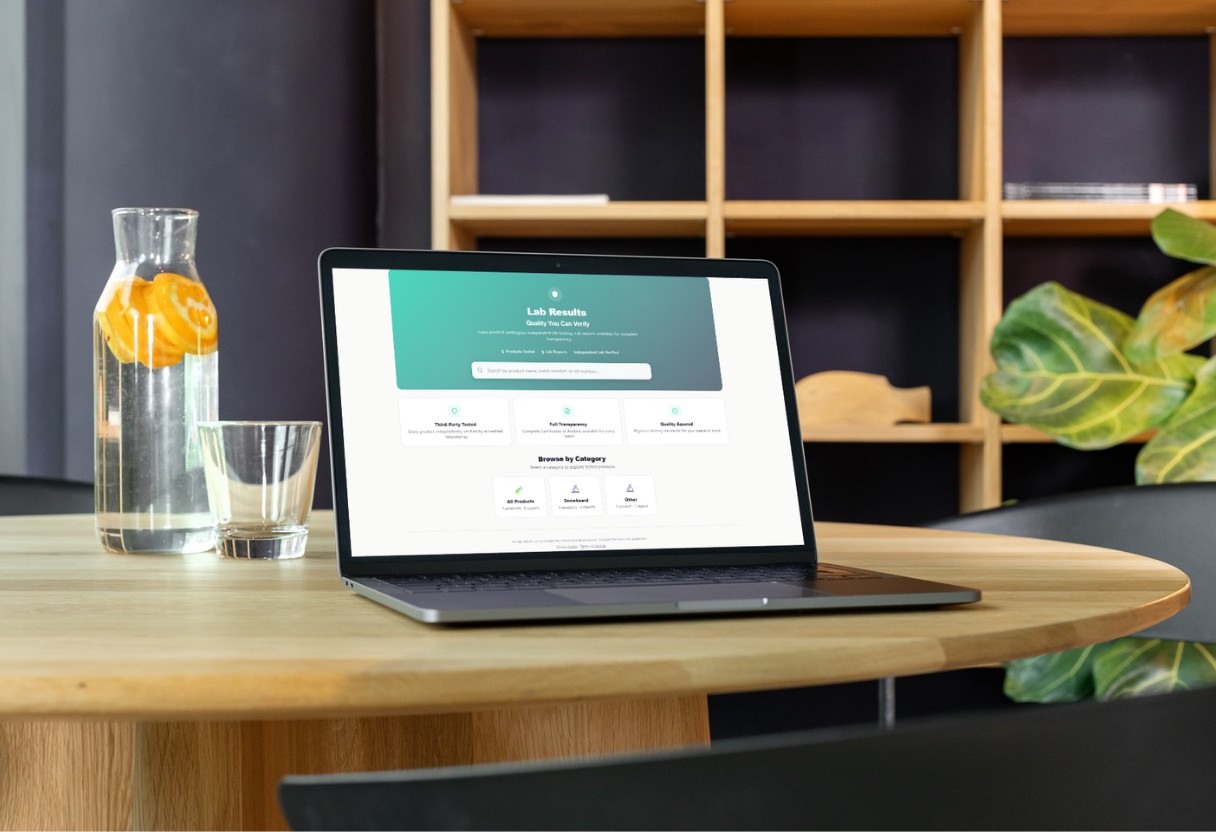
Some stores go further and create a dedicated page where customers can look up lab results by product name, batch number, or lot number. This is common in the hemp/CBD space where customers are accustomed to checking COAs, but it's gaining traction in supplements and food products too.
A lab results portal signals a serious commitment to transparency. It tells the customer: We don't just test our products; we've built an entire section of our website around making those results accessible to you.
Building a portal from scratch is a significant development project. You'd need a database to store test results, a search/filter interface, and a way to connect results to specific products and batches. That's why most stores use a purpose-built app rather than building custom.
Option 6: QR Codes on Physical Products
Here's one that bridges the online and offline experience. Printing a QR code on your product packaging that links directly to the lab results for that specific batch gives customers instant access to testing data; no searching required.
This is particularly powerful for:
- Retail and wholesale: Products on store shelves can link back to your test data even though a customer can't browse your website while shopping in store.
- Gifting: The recipient can scan and verify product quality even if they've never visited your store.
- Regulatory compliance: Some jurisdictions are moving toward requiring QR code access to COAs on packaging.
The key is making sure the QR code links to the results for the correct batch, not just a generic page. Batch-specific QR codes require dynamic generation tied to your production process, which can get complex without the right tooling.
How LabLinks Handles All of This
Full disclosure: we built LabLinks specifically because we kept hearing from Shopify store owners who were struggling with exactly these display challenges. So we're biased. But here's what the app does in practical terms:
- Testing badges appear automatically on product pages and collection grids for any product with linked lab data.
- Detailed result popups display formatted lab data when a customer clicks the badge; no page navigation required.
- A searchable portal page lets customers look up results by product or batch number.
- QR code generation creates batch specific codes you can print on packaging.
- Bulk CSV upload lets you import results for dozens of products at once instead of entering data manually.
- Automatic badge updates when you add new batch results; no manual product editing needed.
We designed it so you spend your time running your business, not copy-pasting lab data into product descriptions.
Which Approach Is Right for You?
The right method depends on your catalog size, how frequently you release new batches, and how important lab data is to your customer base.
If you have fewer than 10 products with infrequent batch changes, embedding results in your product descriptions or linking to PDFs might be enough to start.
If you have a growing catalog, release new batches regularly, or sell in a regulated industry like hemp or supplements, you'll want badges, popups, and ideally a portal; which means either custom development or an app built for the job.
If you sell through retail or wholesale channels alongside DTC, QR codes on your packaging add a powerful layer of accessibility that none of the online-only options provide.
Whatever approach you choose, the most important thing is that your lab results are visible. A COA sitting in a Google Drive folder isn't building trust or driving sales. Get it in front of your customers, and let the data do the talking.
Want to display lab results on your Shopify store without the headaches? LabLinks handles badges, popups, portals, and QR codes; all from one app.
Get Started with LabLinks